
Connect calendar tasks and notes without everything falling apart
If you ever tried to make your calendar sync with your to-dos and maybe even your meeting notes, and you thought, “Surely it’ll all just click”… yeah. Same here. Until my Google Calendar started duplicating GCal events from clicks in Notion, Todoist tasks randomly disappeared the second they were marked complete, and don’t even get me started on the whole iCal sync situation 🤦♂️. In 2025, it’s technically easier than ever, but one careless trigger or misfired webhook and… well, you see why I keep backups of backups. Here’s what actually worked — and didn’t — on my screen.
1. Linking Google Calendar with Todoist through APIs not integrations
I tried the built-in Todoist calendar sync again for the fifth time this year. Still trash. What it does is create a new calendar that only syncs one way — from Todoist → Calendar. But god help you if you reschedule something in Google Calendar… it won’t sync back to Todoist. It just stays there. Stale. Mocking you.
Eventually I gave up and spun up a DIY sync using Google Apps Script and Todoist’s REST API. It’s kind of like gluing two dogs together and hoping they move in sync — but it works. Here’s what I did (after three failed runs and one rate-limit lockout):
– Pulled tasks using the `https://api.todoist.com/rest/v2/tasks` endpoint filtered by due date
– Used Apps Script to parse tasks with a due date and no label “no-sync”
– Created/upserted events to a dedicated “Todoist Sync” calendar using `CalendarApp.createEvent`
– Set a 15-minute time-based trigger via Apps Script to run this
Make sure to merge events by UID. If you create duplicates without deleting the previous ones, your calendar will balloon fast. Learned that the hard way. 😅
Also worth noting: there’s a silent error in Apps Script when you try to update an event that no longer exists — no warning, it just silently fails. If you’re debugging why Todoist tasks stopped pushing, start there.
2. Connecting meeting notes in Notion to calendar events without Zapier
So here’s what I wanted: every time I scheduled a meeting in Google Calendar, I wanted a Notion page auto-created for it in my meeting notes database, pre-filled with time, participants, Zoom link, and agenda placeholder. Can’t be that hard, right?
Turns out, the messy part wasn’t the API calls — it was formatting meeting titles. If your calendar uses colons in the title (say, “1-on-1: Sam”), Notion’s title field gets weird line breaks where you don’t expect them. Plus: Recurring meetings will create a new Notion page each time, unless you add some kind of unique session identifier.
What finally worked: I used Make (Integromat’s rebrand) instead of Zapier.
– First module: Google Calendar “Watch Events”, filtered to only meetings starting within next 7 days (reduces load)
– Second: Parse event and check for “#nonotion” tag in description to skip one-offs
– Third: Create Notion page in DB with attendees, location, and notes block template
– Last step: Save Calendar event ID as a property in Notion (for refs later)
Key thing I learned: Notion API has undocumented rate limits when batch-creating pages. If you blast it with 10+ calendar events in one minute, some NEVER go through and there’s no error in Make either ¯\_(ツ)_/¯ So now I added a 5-second delay between runs.
3. Auto-linking Apple Notes meeting recaps to your calendar and tasks
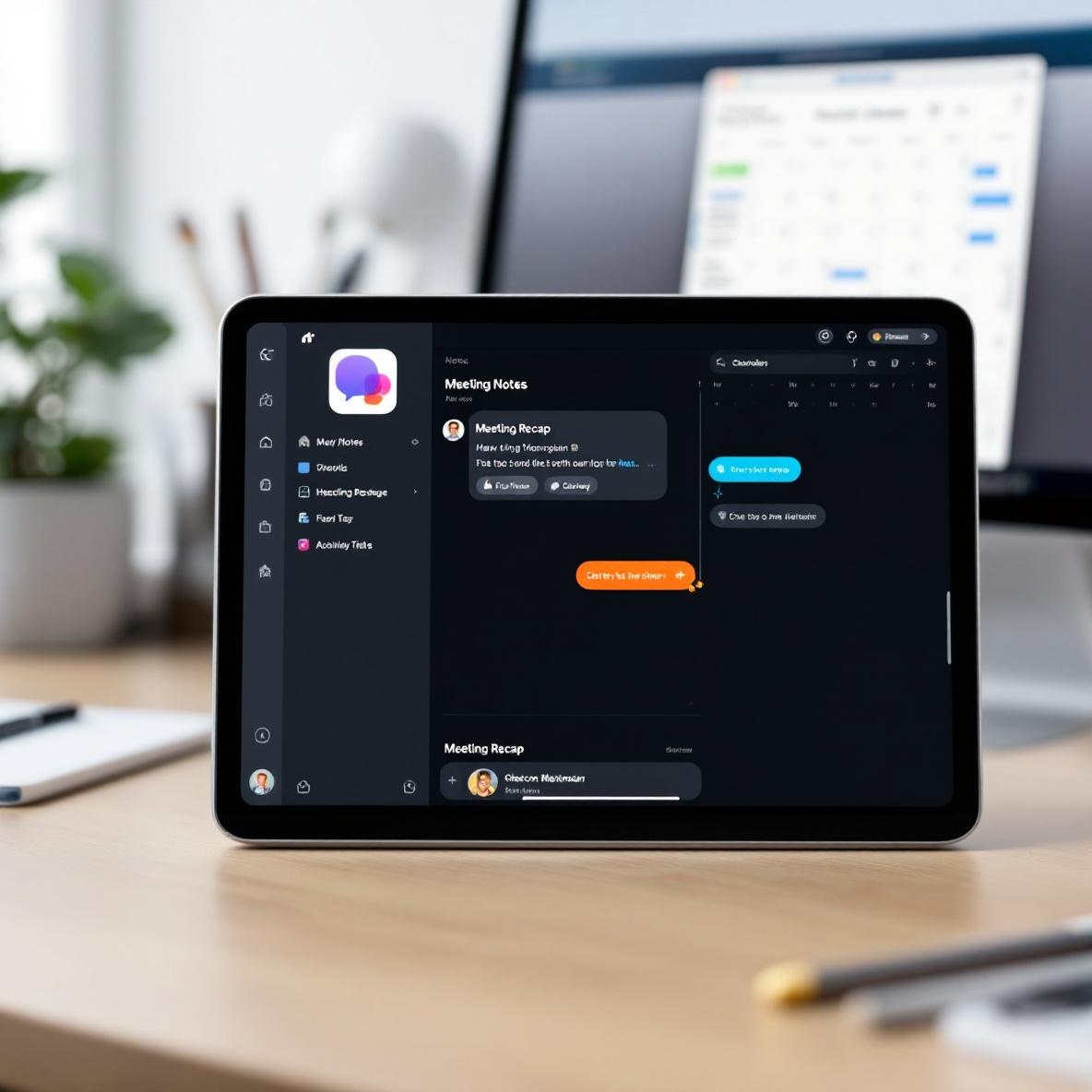
This is the wildcard stack. Apple Notes supports deep links to files and includes timestamps, but you can’t programmatically create new notes with Apple Shortcuts and insert links to a calendar event… unless you cheat a little.
I used the Mac shortcut app to:
– Automatically open a new note with naming format “Meeting Recap – [event title]”
– Pull from the “Upcoming calendar events” input, only meetings within next hour
– Pre-fill with a checklist template (Thanks Agenda.app for the draft)
– Save the note in a specific folder named Meeting Notes
Then I took it further: I added a Shortcuts action at the end to create a task in Reminders with the same title as the Note. That way it shows up in my Smart List for “Unwritten Recs.”
So now after every call, I quickly tab over to Notes, finish typing the recap, and check the task to mark it as filed. Feels like a fake automation, but it seriously cut out 10 separate clicks.
Gotcha I hit: If you’re using Apple Calendar and Google Calendar side-by-side, Shortcuts often grabs the wrong source for the “next event”. It picked up a personal event instead of a work one. You can hardcode the calendar name in the Shortcut, but you have to double-check the exact casing (“Work Calendar” vs. “work calendar” is enough to break it).
4. When automations fire twice or skip completely
This one made me question if I even had the right triggers. Because honestly, I had a Make scenario that inserted a Notion checklist from a calendar invite. And half the time, the same event would get two notes. Other times? Nothing at all.
Found out the issue was due to Google Calendar’s weird auto-updates. Here’s what happens:
1. You create a calendar event
2. A few minutes later, someone RSVPs or adds a Zoom link
3. Calendar updates the event metadata
Make / Zapier / any polling-based automation platform catches both as separate updates. If you’re not deduplicating by `eventId`, boom — double fire.
To deal with this:
– Store processed eventIds temporarily in a sheet (Airtable or Google Sheets)
– Before processing, check if that ID already exists
– Optionally: Wait 3–5 mins after event creation before acting on it
Also, I once had a Combine Calendar Events > Create Notion Page > Send Slack message setup. Everything looked golden. Until I noticed the Slack messages stopped for certain events on Tuesdays. Turned out, those were recurring weekly meetings with an exception rule — and that changed their `recurrence` key structure. I had to manually parse the `start.dateTime` field instead of relying on recurrence logic.
5. Quick test conditions to debug misfiring automations
Here’s a little checklist I built over time for debugging “why is this workflow suddenly skipping or firing wrong?”
– Does the calendar event have multiple guests? Guest changes might trigger new events depending on settings
– Is the event location field blank? Some tools crash silently on null location fields
– Are the timezone fields consistent? I had a task scheduled based on UTC until I noticed the GCal event was created in PDT 😬
– Was the original task rescheduled from an external source (e.g., Slack shortcut)? That can cause orphan tasks
– Do your triggers include all-day events even though you meant timed ones?
– Double-check title casing — Notion requires exact matches in database filters.
And finally: If things seem calm… run a test anyway.
Resyncs break silently. Automations pause. App updates shatter everything. I spin up a “dry run” event every Friday now just to watch stuff move.
So yeah, connecting calendar tasks and notes sounds super elegant until Tuesday hits and half your meetings don’t show notes. Good luck out there 😛